

Most websites leak rankings through technical errors no one has bothered to find. In one audit I conducted, nearly half of all pages were set to noindex. No one noticed for months while organic traffic steadily bled out. A single misconfigured robots.txt or 49% of pages set to noindex can silently kill months of content work. This guide shows you exactly how to run a technical SEO audit that surfaces what Google cannot see.
Technical SEO is the foundation of the search hierarchy. If you look at the Moz SEO pyramid, technical health sits at the base. Without crawlability and indexation, content and links amplify nothing because bots cannot reach the site. In my 5+ years of navigating SEO shifts at agencies like Groove Digital, I have seen that teams often deprioritise technical health because results are less visible than a new blog post or a high-tier backlink.
Read more about: securing stakeholder buy-in.
However, a website audit is not a luxury. It is a maintenance layer that keeps your strategy alive. Most teams focus on content because it feels more creative. Technical SEO feels like "fixing the plumbing." Yet, a quarterly audit cadence is the bare minimum for any professional site. For e-commerce platforms with thousands of SKUs, a monthly crawl is essential to catch expiring products or parameter URL bloat. If the foundation is cracked, your skyscraper will never reach page one.
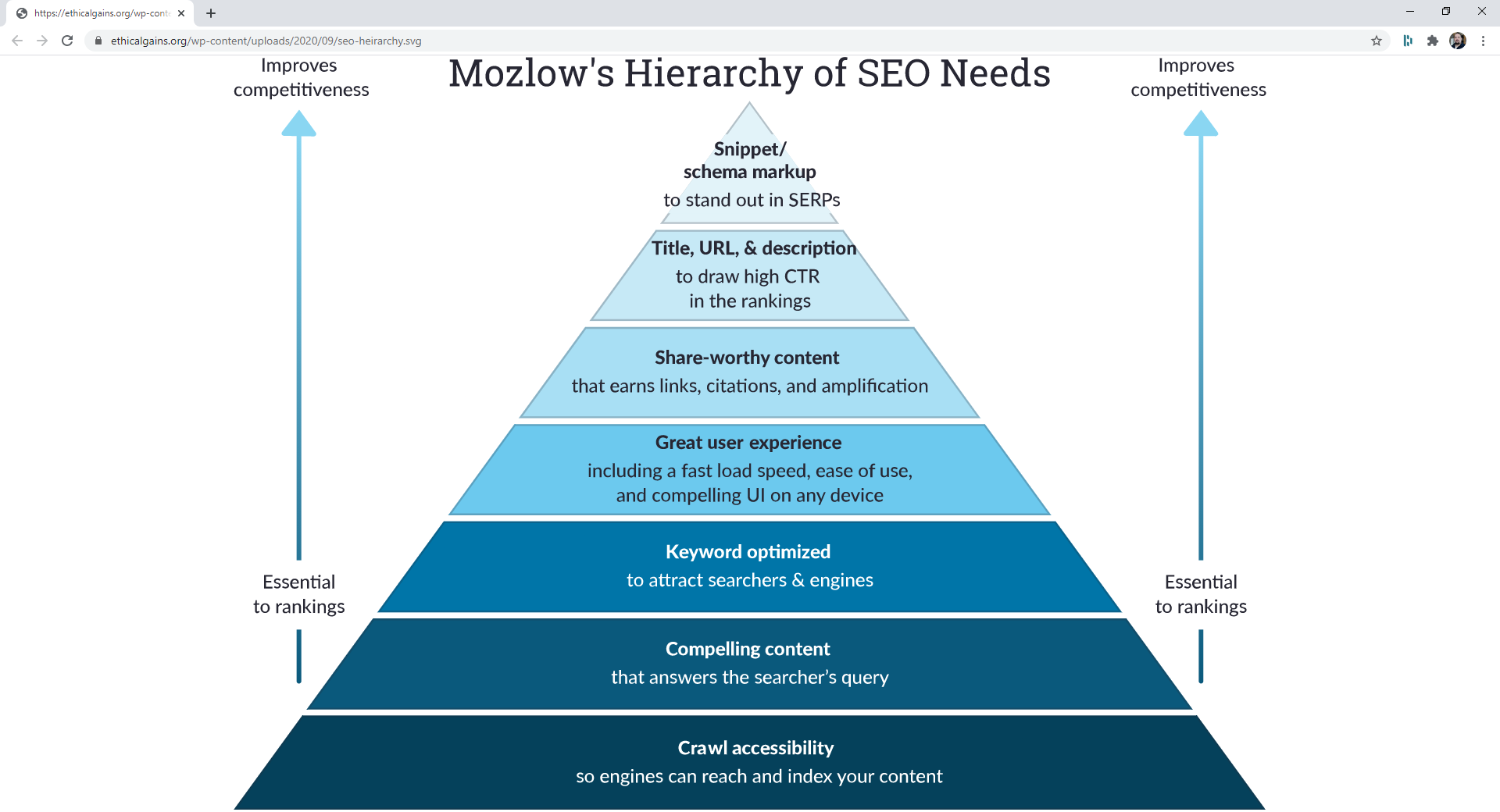
Before diving into the data, you need a mental model of what you are actually checking. A comprehensive SEO audit covers four main dimensions: performance, technical SEO, content, and backlinks. Using the right SEO audit tools for each task is critical for efficiency.
Learn more about: Google Tag Manager for SEO.
Crawling and indexing are distinct processes. Crawling is the act of Googlebot following links to discover your pages. Indexing is the act of storing that content in Google’s database to be ranked. A page can be crawled but not indexed. It can also be blocked from both.
The robots.txt file controls crawling at the server level. The meta robots tag controls indexing at the page level. If you want a page to be "invisible" but still pass link equity, you use "noindex, follow." This tells Google not to show the page in results but to keep following its internal links to other parts of your site.
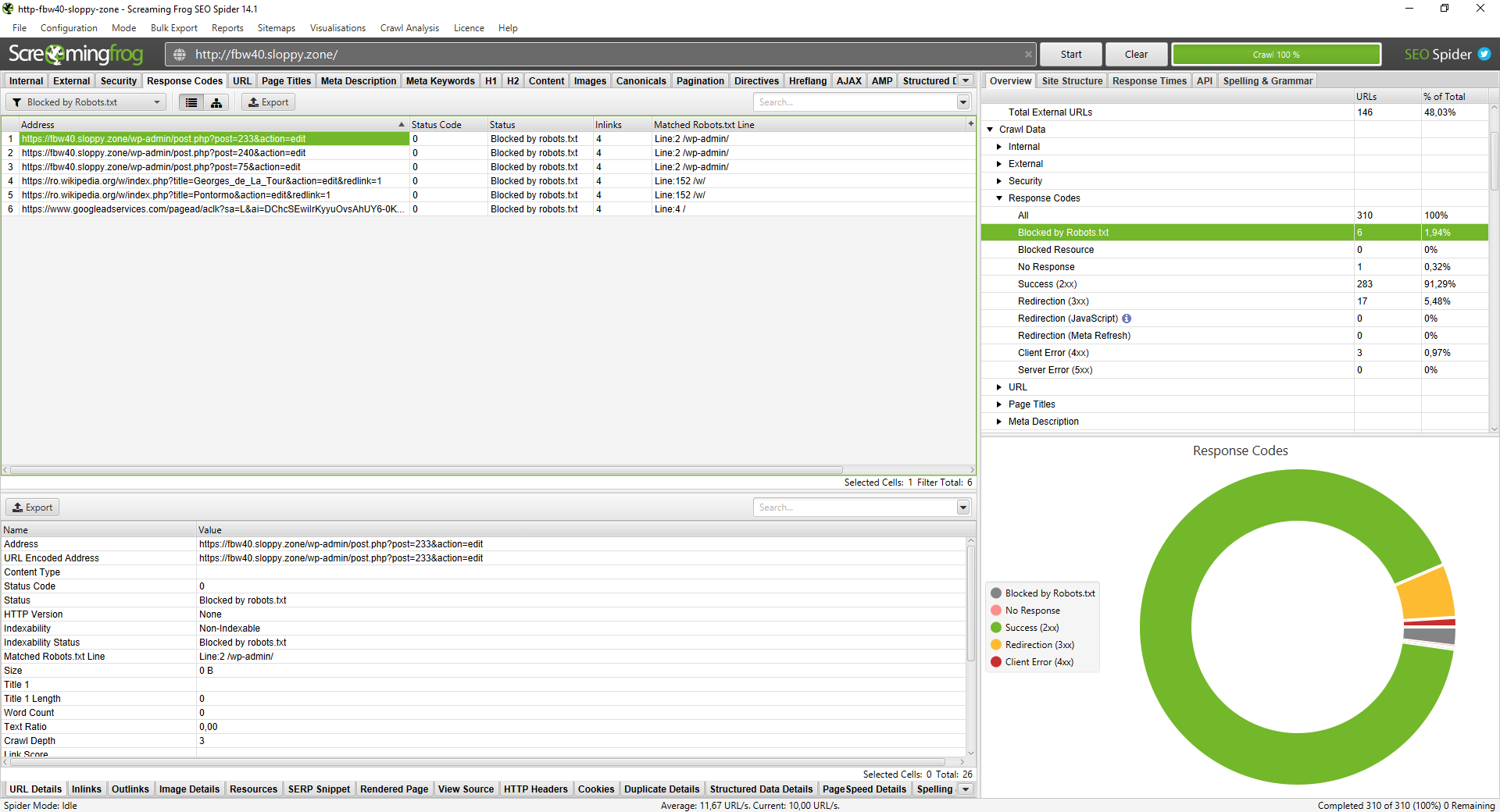
To check for blocked pages, open Screaming Frog and head to the Response Codes tab. Filter by Blocked by robots.txt. You might find that /wp-admin/ is blocked, which is legitimate. However, if your primary service pages appear here, Googlebot is being turned away at the door.
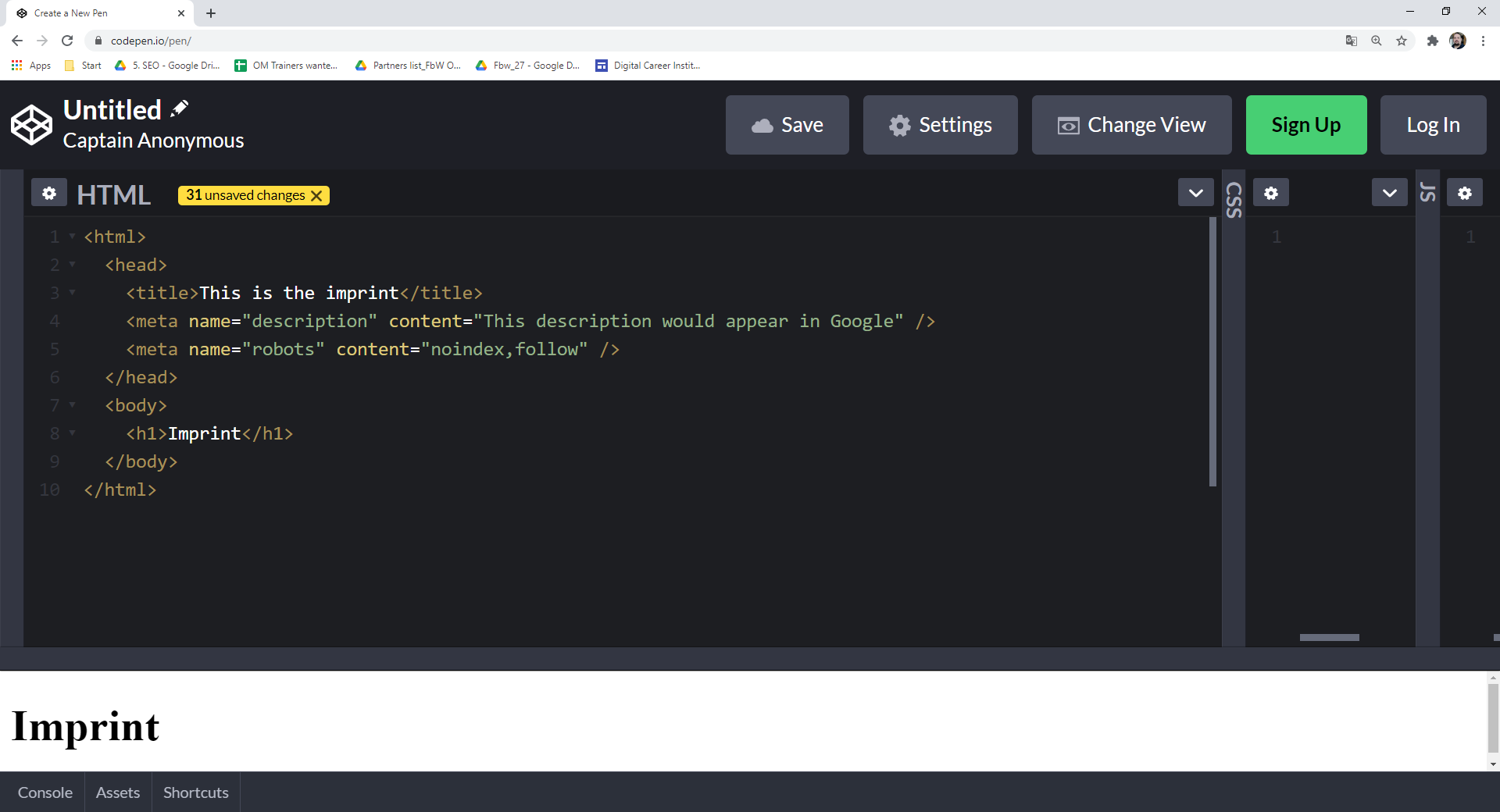
In the HTML, this looks like <meta name="robots" content="noindex, follow">. Use this for thank-you pages or internal search result pages. It prevents "thin content" from entering the index while allowing bots to navigate your site structure.
Multilingual and multi-regional sites add another layer: hreflang. Get it wrong and Googlebot serves the Dutch page to a German user. If you're auditing across borders, my hreflang implementation guide is the next logical step.
A robots.txt audit prevents wasted crawl budget. When Googlebot spends time trying to access blocked URLs, it has less time for your "money pages." In Screaming Frog, go to the Response Codes tab and filter for Blocked by robots.txt.
Check the Matched Robots.txt Line column. This tells you exactly which rule is causing the block. Triage these into two categories: intentional and accidental. If you see blog posts or product categories here, you are killing your own rankings. Fix these by updating your robots.txt file on the server to allow access to those specific paths.
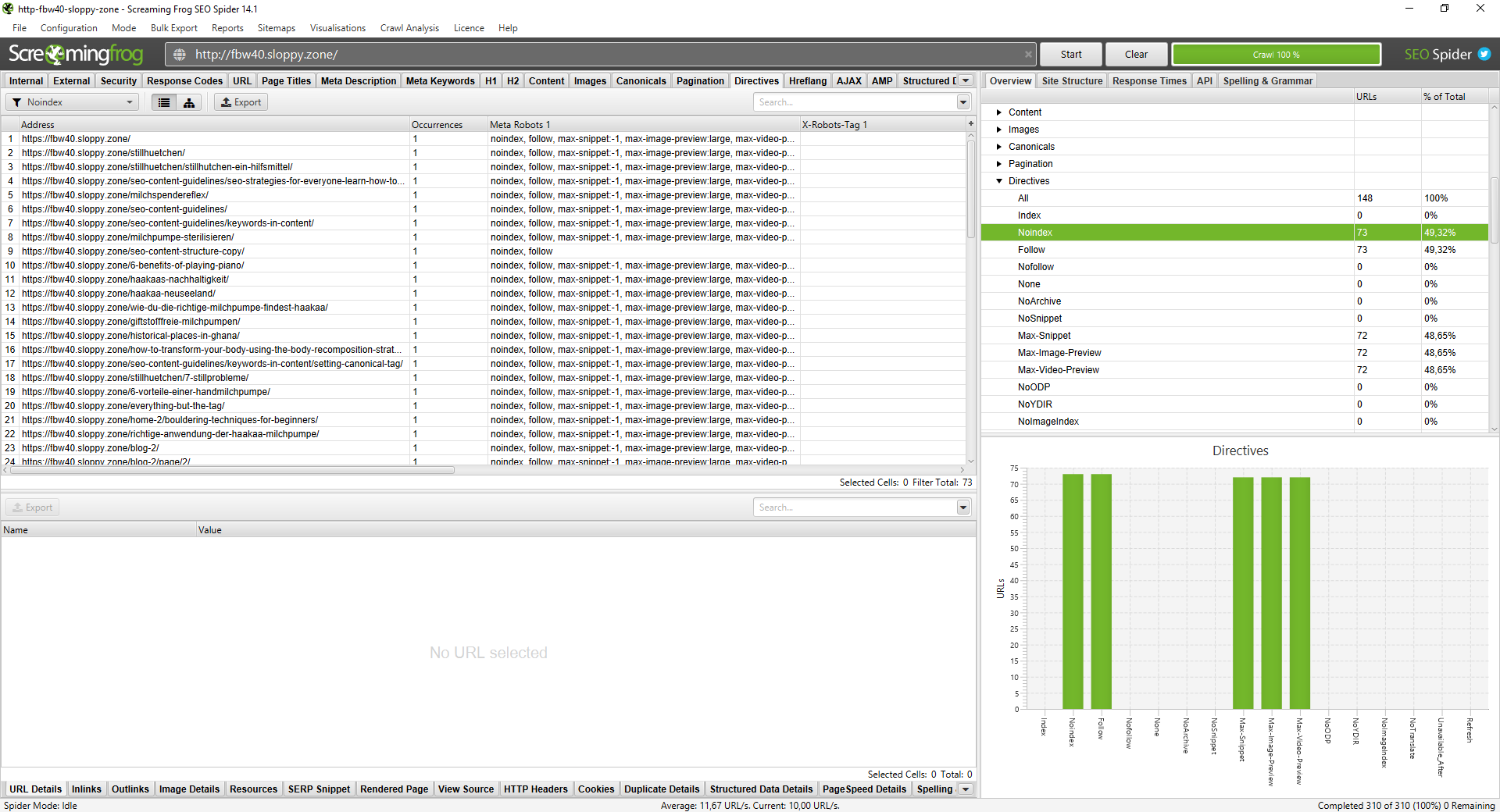
Finding noindex pages is done via the Directives tab in Screaming Frog. Filter for Noindex to see what is hidden from the search results. On a live site I audited, 73 out of 148 pages were noindexed. That is 49% of the site invisible to Google.
Common culprits include WordPress tag archives or staging environments that were accidentally left in "noindex" mode after a launch. If you find indexable content here, remove the meta robots tag immediately. Every day a page is set to noindex is a day it generates zero ROI.
Duplicate content SEO issues occur when search engines find the same content on multiple URLs. This creates confusion. Google does not know which version to rank, so it often ranks none of them well. This also wastes your crawl budget.
Common variants include HTTPS vs. HTTP or www vs. non-www. In e-commerce, product pages with minimal variations in size or colour are the most frequent offenders. Google splits link equity across these duplicates instead of consolidating it into one strong URL.
Navigate to Configuration > Content > Duplicates. Enable Near Duplicates and run a Crawl Analysis. Once finished, check the Content tab. If you see a 94% similarity match, you have a near-duplicate issue that needs addressing.
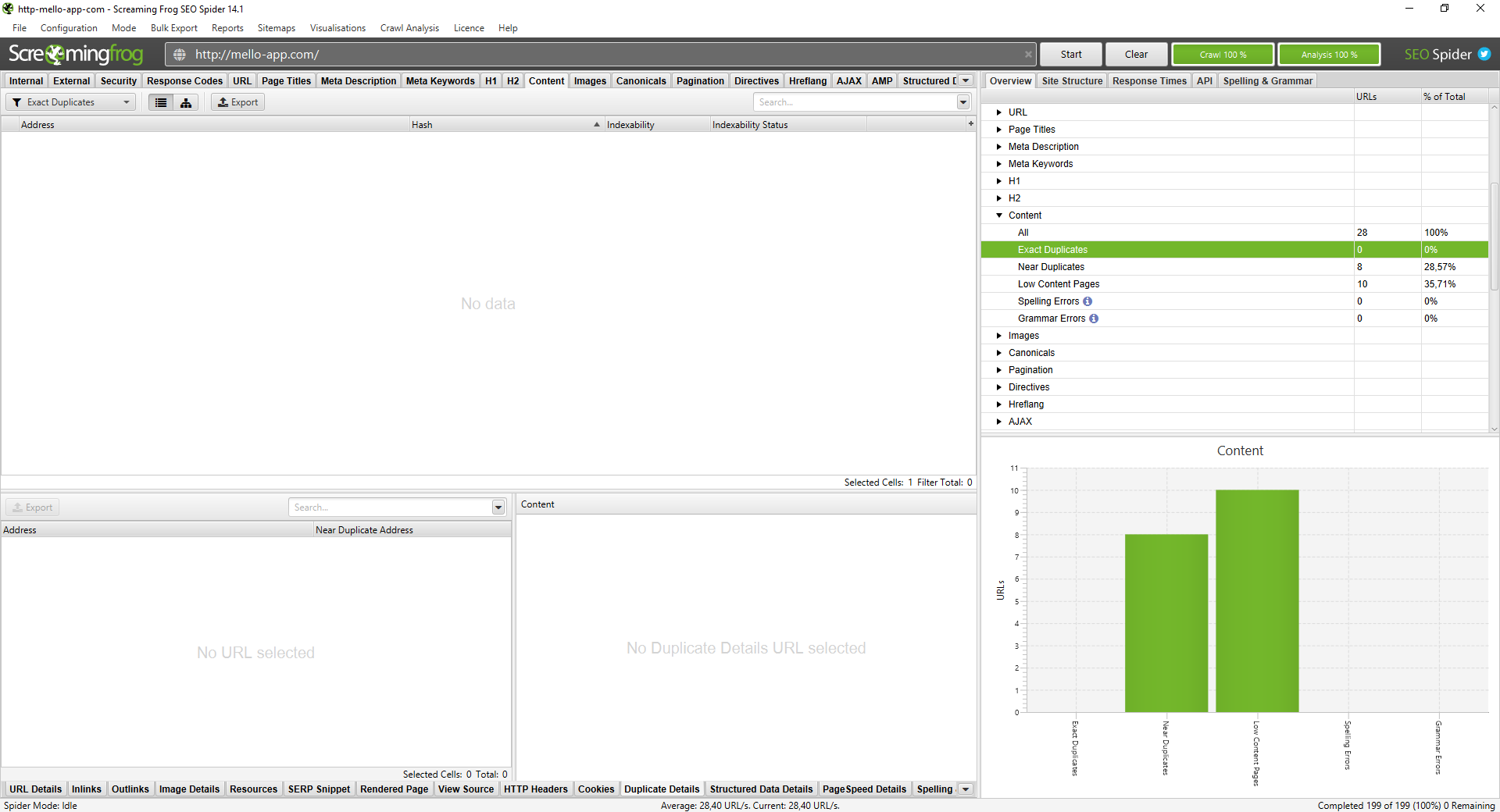
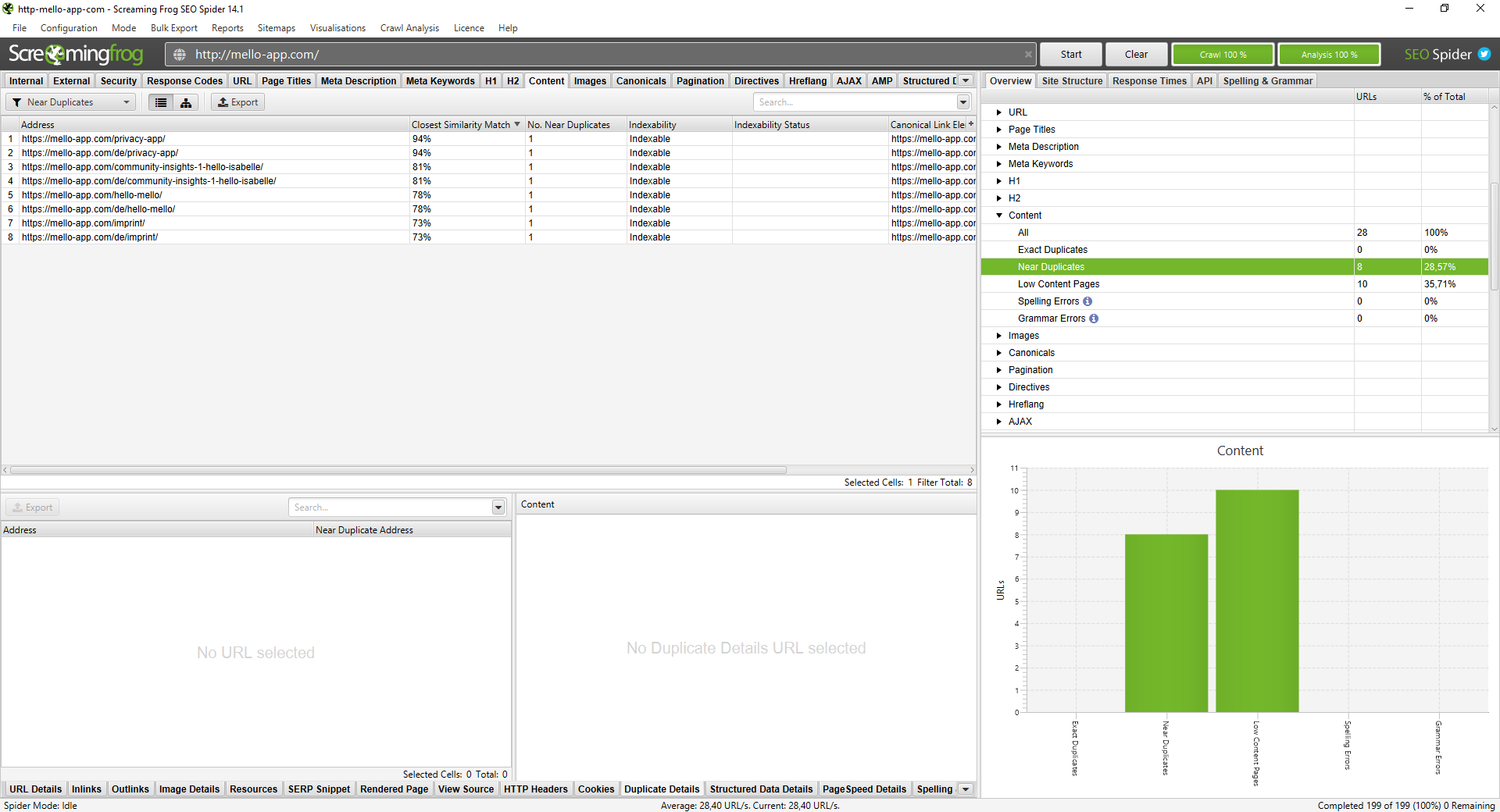
Use canonical tags for near-duplicates to tell Google which URL is the "master" version. Use 301 redirects for structural duplicates like HTTP to HTTPS. For clusters of thin, similar pages, consider content consolidation into one comprehensive guide.
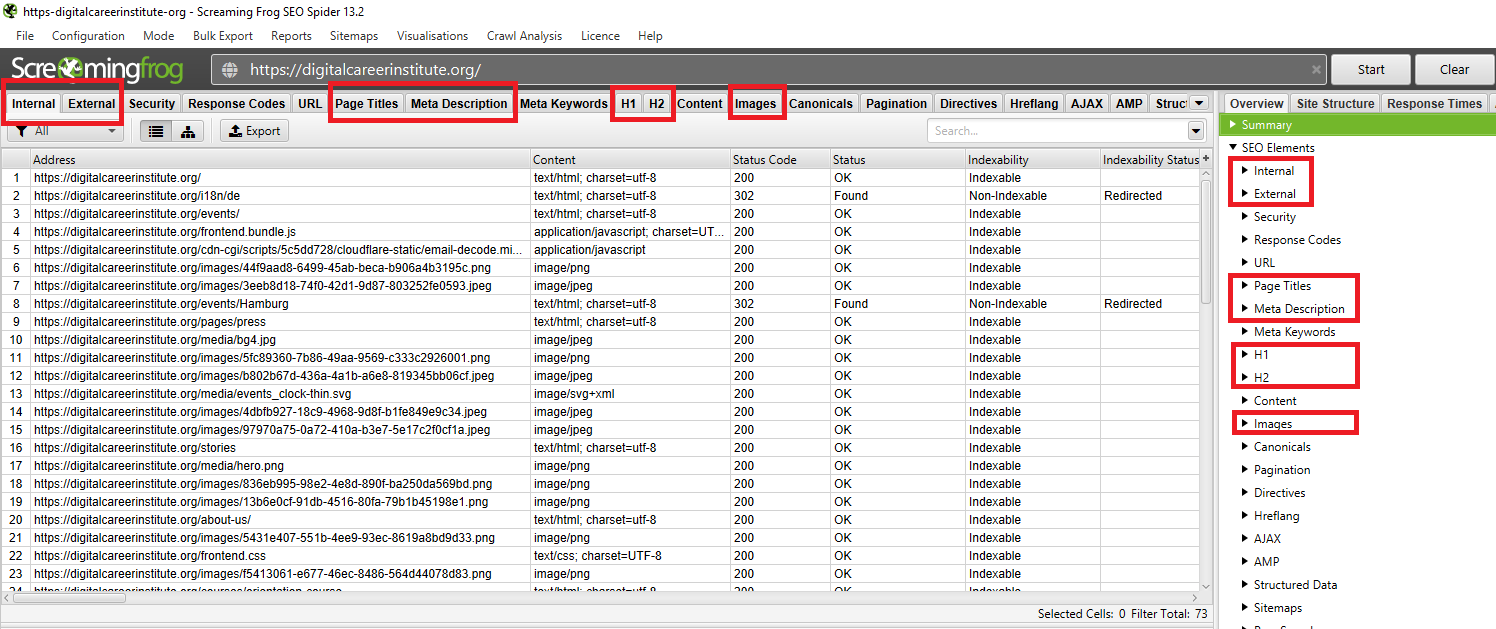
A content audit ensures your on-page elements work for both crawlers and users. Screaming Frog surfaces titles, meta descriptions, H1 tags, image alt text, and broken links in a single crawl — no manual page-by-page checking required.
Three issues consistently damage performance on otherwise well-built sites:
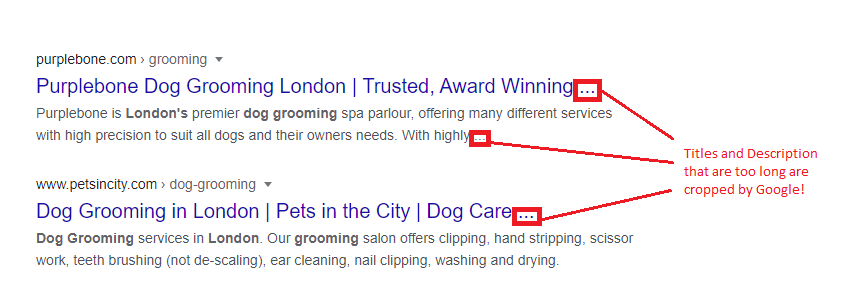
In 2026, pixel width is more accurate than character count. Character widths vary, but the SERP space is fixed. Aim for 30–60 characters or 200–554 pixels for your SEO title length.
Lead with your primary keyword. Close with your brand using a pipe or a colon. For example: "SEO Content Guidelines: All You Need to Know in 2026 | Sahardid". If your title does not match the page content, Google might rewrite it. This is a warning sign that you are over-optimising or missing the user's search intent.
Meta descriptions are not a direct ranking factor. They are click-through rate (CTR) levers. Use 70–155 characters or 400–1005 pixels.
Address active intent first by using the primary keyword. Address passive intent next by mentioning tools, tips, or examples. Use Google Search Console (GSC) to monitor performance. If a page has high impressions but a CTR below 3%, your description likely needs a rewrite to better match the search intent.
Most SEOs stop here. The ones who don't add schema markup and rich snippets and that's where the real CTR gap opens up.
To validate your SERP copy, use GSC. Filtering by page level is often too noisy because it includes every random query. Instead, filter by Page + Main Keyword.
This isolates how well you match the primary intent. A high-impression, low-CTR keyword is your priority target for a title or description rewrite. For branded navigational queries, you should aim for a benchmark of 45% or higher CTR when sitting in positions one or two.
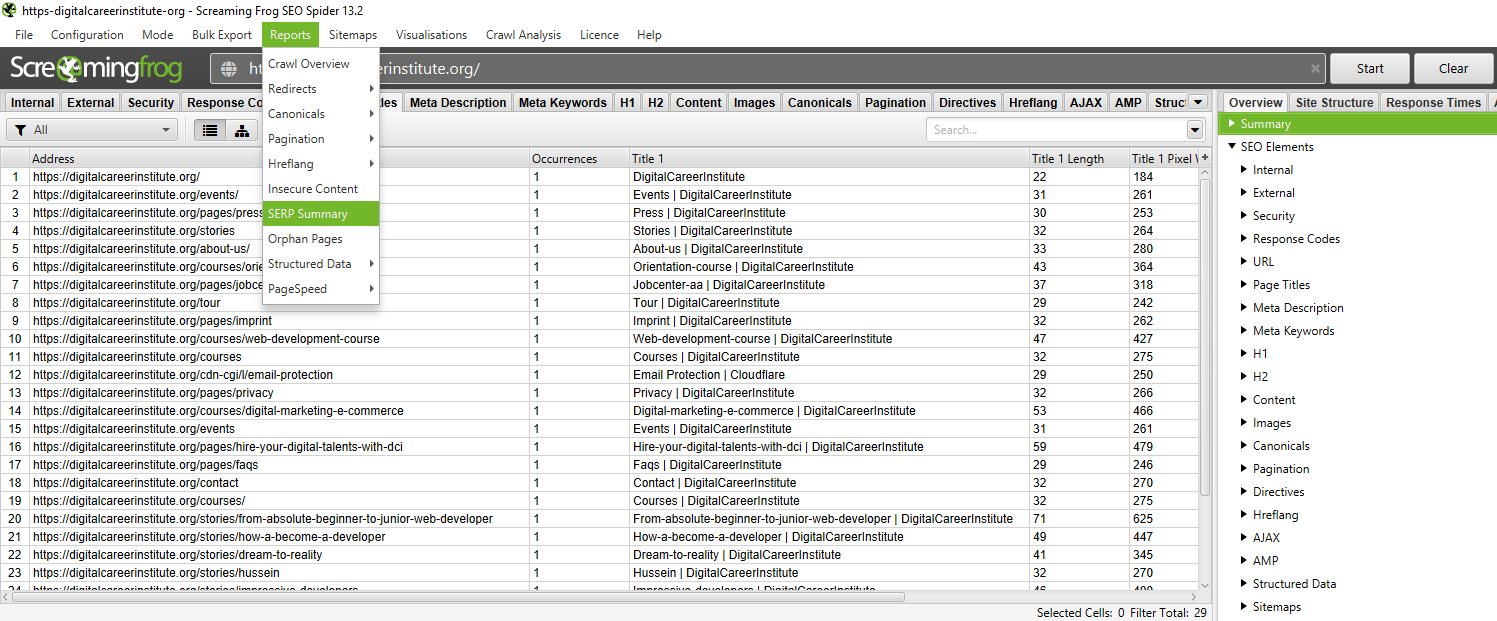
Raw data is useless without organisation. Export the SERP Summary from Screaming Frog and import it into Google Sheets. Use conditional formatting to flag issues.
Add a GSC CTR column next to each URL for context. Prioritise your fixes. Broken links and noindex errors must be addressed first. Title and description rewrites come second. This turns a crawl into a client-ready SEO audit report.
Dev teams ignore spreadsheets. They act on priorities. Once your data is in Google Sheets, turn your findings into a structured SEO roadmap what gets fixed this sprint, what waits for Q4, and why.
Technical SEO is not a one-time task. It is the maintenance layer that keeps everything else working. As Google's crawl behaviour evolves in 2026 with AI Overviews and reduced crawl budgets, a clean technical foundation is the non-negotiable baseline. Audit quarterly. Prioritise crawlability. Let your content and links do the rest.
A systematic review of a website's crawlability, indexation, and on-page technical elements to identify issues blocking visibility.
A minimum of every quarter for most sites. Monthly audits are recommended for e-commerce sites with large page counts.
It checks for broken links, redirect chains, noindex pages, duplicate content, and missing metadata.
Crawling is discovery; indexing is storage and ranking. A page can be crawled but excluded from the index.
Use canonical tags, 301 redirects, or content consolidation.
Between 70–155 characters or 400–1005 pixels for visual accuracy
Mohamed Sahardid Senior SEO & Growth Strategist
Mohamed Sahardid is a senior SEO strategist based in Amsterdam, with agency experience at Groove Digital and Chase Marketing. He specialises in technical SEO, topical authority, and Answer Engine Optimisation helping brands get found in both traditional search and AI-generated results.
→ mo@sahardid.com · sahardid.com